Tiny Skies Fighter Jet Helicopters Controls
One control scheme for 21 jets and 7 helicopters—master it once, fly everything.
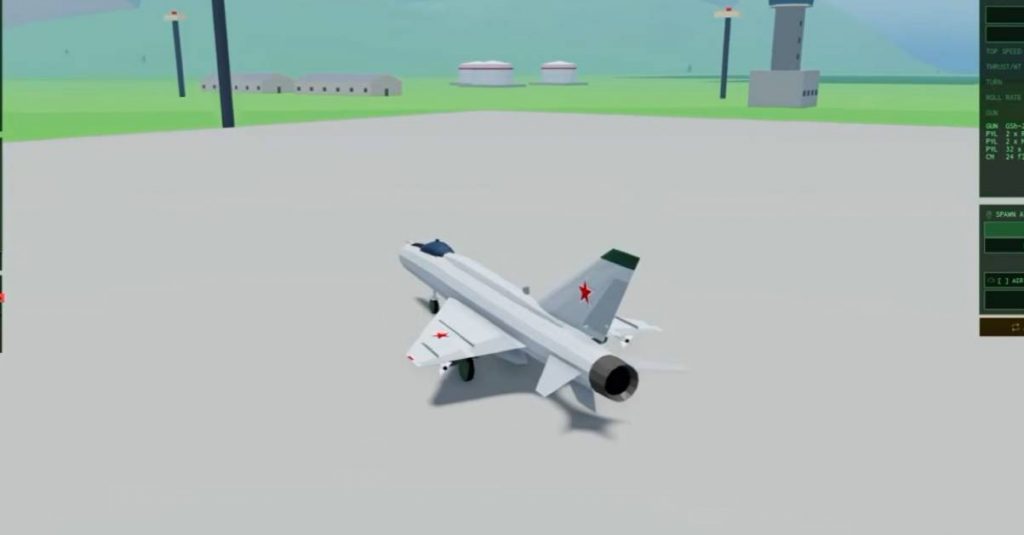
Tiny Skies Fighter Jet & Helicopters keeps a shared control scheme across the entire hangar. Learn it on the free F-5E or Little Bird, and the same muscle memory carries into F-22, Su-57, Apache, and Ka-52. This guide is the definitive keyboard/mouse reference plus mobile notes, written for Roblox pilots who want fewer stalls and more medals.
Full PC control list
| Input | Action |
|---|---|
| Mouse movement | Fly the aircraft and aim guns |
| Left click | Fire guns |
Space | Fire selected weapon (missiles, rockets, bombs) |
R | Cycle to next weapon |
Shift | Increase throttle / power |
Ctrl | Decrease throttle / power |
X | Deploy flares (defeat heat-seekers) |
M | Toggle map |
Tab | Scores / match status |
G | Landing gear up/down |
That is the entire core loop. Fancy airframes change performance and stores, not the button bible.
Flight basics with the mouse
Mouse aim is intentionally approachable: point where you want the nose and gun pipper to go. Smooth inputs beat violent flicks—especially in helicopters. On takeoff:
- Hold
Shiftto build speed (Flight School cues around 150 before rotating). - Ease the nose up; do not yank into a stall.
- Once climbing, press
Gto raise gear and clean the jet. - Trim your throttle for the fight you want: high energy for boom-and-zoom, moderated power for tight gun tracking.
Practice the sequence in Flight School before blaming the plane.
Guns vs special weapons
- Guns (click) — always available pressure. Win close dogfights here.
- Space weapons — heat-seekers, radar missiles, rockets, bombs, anti-ship loads depending on airframe.
R— cycle until the store you need is selected; do not waste anti-ship missiles on a distant fighter if guns will do.
A common new-player trap is holding Space exclusively. Mix guns and missiles like a real merge—see the Dogfight Guide. For store-by-store tactics and flare timing depth, read Weapons & Flares.
Flares save lives
Press X when a heat-seeking missile threatens you. Flares give the seeker a hotter decoy. Habits that work:
- Flare early when warned, not after the missile is already glued to your engines.
- Combine flares with a turn or throttle change; pure straight-line flaring is weaker.
- Remember that not every weapon is defeated by flares—radar missiles and guns still require geometry and cover.
Helicopter pilots should flare during pop-up attacks when jets are hunting overhead.
Throttle discipline (Shift / Ctrl)
Throttle is your energy budget:
- Too slow — easy gun target, risk of stall-ish handling.
- Too fast — overshoot merges, long turning circles, missed gun snapshots.
- Strike runs — arrive with enough speed to escape after releasing bombs/rockets.
MiG-25 style speed jets love high throttle; A-10 and helicopters often fight better with controlled passes. Match throttle to the tier role you chose.
Map (M) and scores (Tab)
Open the map to locate enemy bases, carriers, and mid-match objectives. Tab tells you whether your team is winning the objective war or just farming flashy air kills. In Strike and Naval, a pretty K/D with a lost airfield is still a loss—read Match Modes.
Gear (G) and carrier launches
Raise gear after takeoff to fly clean. Lower gear only when you intend to land or when a mode/carrier flow expects it. Naval battles add carrier launch flavor—follow deck cues, build speed, and rotate with the same mouse logic you use on land runways.
Mobile / phone controls
Tiny Skies advertises phone-friendly controls. On mobile:
- Expect on-screen sticks/buttons mapped to the same actions (throttle, weapons, flares, map).
- Use landscape mode for better aim precision.
- Drop graphics settings if aim stutter appears mid-dogfight.
- Consider practicing Flight School on mobile specifically so your thumbs learn the layout before ranked-feeling lobbies.
The mental checklist stays identical: guns, stores, flares, map, gear. For the full touch-first walkthrough—landscape grip, warm-ups, and graphics order—open Mobile Controls.
Mode-specific control tips
| Mode | Control focus |
|---|---|
| Dogfight | Guns tracking + flare timing |
| Free-for-All | Map checks; every contact is hostile |
| Strike | Weapon cycling to bombs/rockets; egress throttle |
| Naval | Anti-ship stores selected; deck launch discipline |
Helicopters add hover temptation—fight it. Hovering under Tab-score pressure is how F-22s farm rotors. Details in Helicopter Guide.
Practice drills (10 minutes)
- Take off, gear up, fly a wide box using only mouse and throttle.
- Make three gun-only passes on practice targets or bots.
- Cycle weapons with
Rand fire oneSpacevolley each. - Simulate a missile panic: flare (
X) while turning. - Open map (
M), call out base direction, close map, reacquire horizon.
Repeat in a live match on free aircraft before unlocking premium frames.
Related pages
Master inputs once; every new jet afterward is just performance and payload.
Frequently Asked Questions
Quick answers about jets, helicopters, credits, and match modes.
Do jets and helicopters use different controls?
No. Tiny Skies uses one shared scheme—mouse flight, click guns, Space weapons, and the same utility keys—across the roster.
How do I defeat heat-seeking missiles?
Press X to release flares, then change direction or throttle so the missile loses a clean pursuit.
What does the R key do?
R cycles your special weapon selection so you can switch between missiles, rockets, bombs, or other stores before pressing Space.
When should I raise landing gear?
After a successful takeoff climb, press G to raise gear and reduce drag. Lower it again only for landing or required deck operations.
Can I play Tiny Skies on my phone?
Yes. Phone controls are supported. Learn the same actions on the touch UI, practice in Flight School, and read the Mobile Controls guide for landscape and graphics tips.