Tiny Skies Fighter Jet Helicopters How to Redeem Codes
Exact redemption steps, troubleshooting, and what to do while no codes are active.
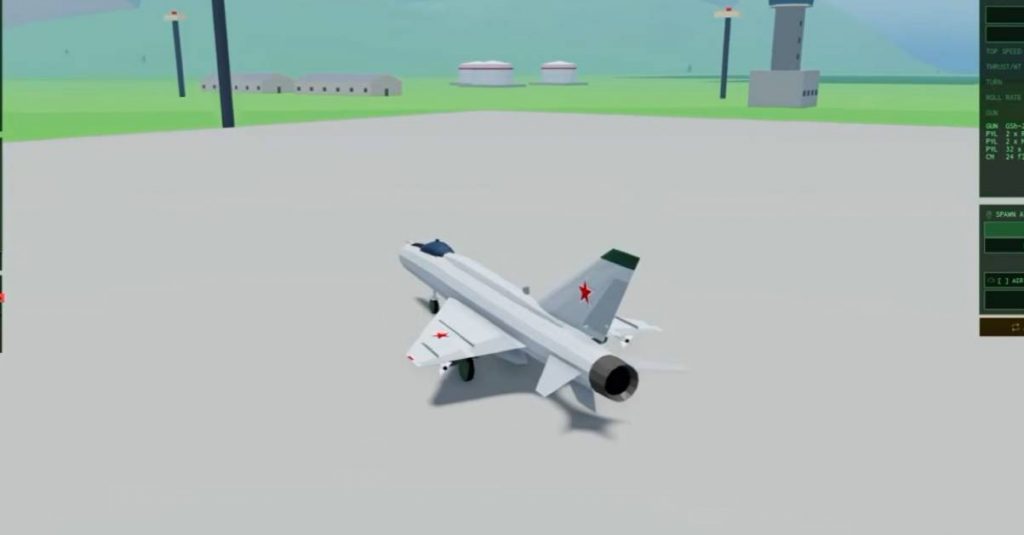
Redeeming a Tiny Skies Fighter Jet & Helicopters code is simple once the developer publishes one—but the UI only matters when a real string exists. As of now, the Codes Hub shows no active codes. Use this guide so you are ready the moment a working code drops, and so you do not waste sessions chasing invalid lists.
Before you redeem
- Confirm the code is listed as Active on our Codes Hub.
- Play on the official experience by katabin1 (place linked from this wiki’s play button / site meta).
- Make sure you are logged into the Roblox account that should receive the reward.
- Copy the code carefully—many strings are case-sensitive and hate extra spaces.
If nothing is Active, skip redemption entirely and earn Credits through Flight School and daily missions instead.
Step-by-step redemption
1. Launch Tiny Skies
Open Roblox, join Tiny Skies Fighter Jet & Helicopters, and wait until the lobby or hangar loads. Do not redeem mid-dogfight if the UI is lobby-only; finish or leave the match first if the codes button is greyed out.
2. Open the codes / redeem panel
Look for a Codes, Redeem, Shop, or gift-box style button on the main HUD or menu. After the November 2026 systems update, Shop-related UI is more visible, so check both the hangar menus and any Settings or Extras tab. Mobile players may need to open the full menu (often the three-line or gear icon) before the redeem field appears.
3. Paste the code exactly
Tap the text field, paste the string, and remove leading/trailing spaces. Do not change capitalization. Submit or press Redeem / Claim.
4. Confirm the reward toast
A successful redeem shows Credits, a cosmetic, or another listed reward. Check your Credit balance and hangar inventory. If nothing appears, rejoin once—inventory sync can lag—but do not spam-submit the same code.
5. Note one-time limits
Most Roblox experience codes are one redeem per account. Alts need their own sessions. Sharing a code in chat is fine; selling “guaranteed codes” is a scam.
Common errors and fixes
| Message / symptom | Likely cause | Fix |
|---|---|---|
| Invalid / incorrect | Typo or fake code | Recopy from the Active list only |
| Expired | Patch or event ended | Remove it from your notes; wait for new drops |
| Already redeemed | Used on this account | Nothing more to claim |
| No codes button | UI not available yet / outdated client | Rejoin; update Roblox; check after patches |
| Reward missing | Sync delay | Relog; check Credits and cosmetics inventory |
Never download a “code unlocker” executable. Official redemption happens inside Roblox only.
Mobile vs desktop tips
- Desktop: Mouse users can paste with Ctrl+V; keep the hangar UI unobstructed.
- Mobile: Long-press to paste; rotate to landscape if the text field is clipped.
- Console / limited input: If your platform blocks free-text fields, redeem on a phone or PC session for that account, then return to your preferred device.
Tiny Skies supports easy mouse aim and phone controls in combat, but code entry still needs a working text box.
What to do when there are no codes
Redeem tutorials feel useless when the Active table is empty—so pivot to progression that always works:
- Clear Flight School for ~500 Credits.
- Log in for daily rewards and knock out missions.
- Fly free starters (F-5E, A-4 Skyhawk, MiG-21, Little Bird, Huey, Medevac) in Strike, Dogfight, FFA, or Naval matches.
- Spend wisely using the jets and helicopters tier lists.
New pilots: finish Getting Started before buying VIP or Shop packs. Codes are a bonus, not a requirement to enjoy Blue vs Red fights with up to 15 players.
After a successful redeem
- Decide whether Credits go into a jet unlock, helicopter unlock, paint scheme, or upgrades.
- Prefer aircraft that match your favorite mode—air superiority jets for Dogfight, strike platforms for base assault and Naval.
- Recheck Updates so you know if a new event jet (F-104, F-15 STOL, Mirage 2000) temporarily changes priorities.
Related pages
- Codes Hub — live Active / empty status
- Earn Credits Fast — grind loop without promos
- November 2026 roster — Shop, VIP, Auto Rearm context
- Players Hub — medals and leaderboards that also reward good play
Keep this page bookmarked next to the Codes Hub. The moment a verified string appears, you already know exactly where to paste it.
Frequently Asked Questions
Quick answers about jets, helicopters, credits, and match modes.
Where is the codes button in Tiny Skies?
Check the hangar or main menu for a Codes, Redeem, Shop, or gift icon. After recent updates, Shop-related menus are the first place to look. Rejoin if the button is missing.
Are Tiny Skies codes case-sensitive?
Treat them as case-sensitive. Paste exactly as published, with no extra spaces, then submit once.
Can I redeem the same code on multiple accounts?
Usually each Roblox account can redeem a given code once. You must log into each account separately; there is no shared household claim.
What if there is nothing to redeem?
That is normal right now—no codes are confirmed active. Use Flight School, dailies, missions, and matches to earn Credits instead.
Is it safe to use third-party code websites?
No. Only redeem inside the official Roblox experience. Third-party “generators” are scams or malware risks.